Open your webpage.
Bring a supported page into Tapper’s built-in browser. Make sure the button or content you need is ready.
The repeat taps? Let Tapper handle them.
Automate supported webpages and give your fingers a break.
A look at what’s next. Screens and detailed feature guides preview the upcoming 1.0.6 update. The App Store currently offers 1.0.5. Release details
Some things don’t need another tap from you. A button you press again and again. A long page you keep swiping. A webpage you want to refresh at your own pace.
Tapper brings those small, repeated web tasks into one place. Choose what happens, set the timing, and stay in control of the run.
*Recording, page controls, and routine features shown on this site preview the upcoming update. Tapper works on supported webpages; it does not control other native iPhone apps.
The next Tapper, in six screens.
Open any image for a closer look.


Real app screens from the upcoming 1.0.6 redesign. Demonstration counters show practice runs.
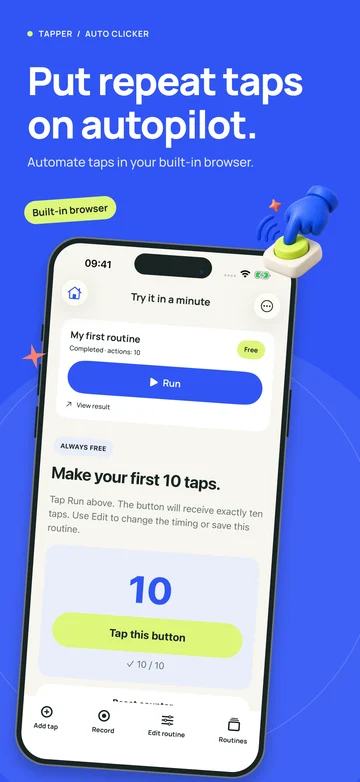
Start with a simple webpage. The upcoming update adds a practice routine so you can learn by doing.
Follow the step-by-step guide
Bring a supported page into Tapper’s built-in browser. Make sure the button or content you need is ready.
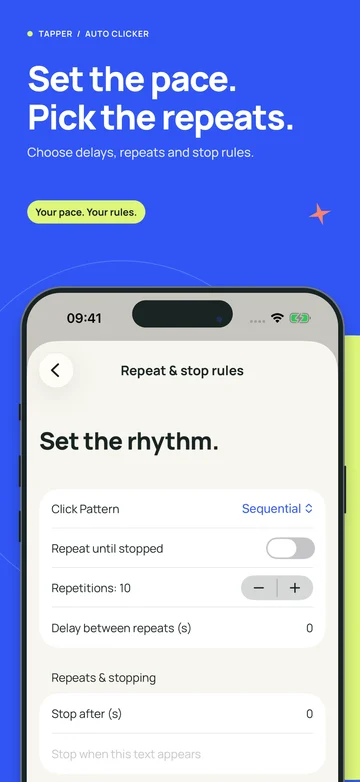
Pick a tap target and a comfortable pace. With the upcoming editor, record a sequence, review the steps, and choose how often it repeats.
Keep the page open, watch the first run, and check the result. Stop when you’re done. Save supported routines when you want to reuse them.
Made for the web.
Use Tapper on supported webpages. It won’t tap inside other native apps or run indefinitely with your phone locked.
Start with your first tap
Let the page come to you
Keep your webpage up to date
Record once. Replay when ready.
Put a sequence in motion
Bring your routine to Safari
Find the missing step
Know what you’re downloading
Learn what click intervals mean, convert milliseconds into taps per second, and choose a practical pace for a supported webpage in Tapper.
Read article: Auto Clicker Intervals: Find the Right Tap SpeedMake auto scrolling easier to read with a practical way to balance scroll distance, timing, text size, and pauses on iPhone webpages.
Read article: Find Your Ideal Auto Scroll Reading SpeedCompare Apple’s Switch Control accessibility features with a browser auto clicker. Choose the right approach for device access or web routines.
Read article: Switch Control vs Auto Clicker on iPhoneClear answers before your first tap.
Open a supported webpage in Tapper, select a tap target, and choose a pace. The upcoming update adds a guided practice routine and editable steps. Start with a short run so you can check the result.
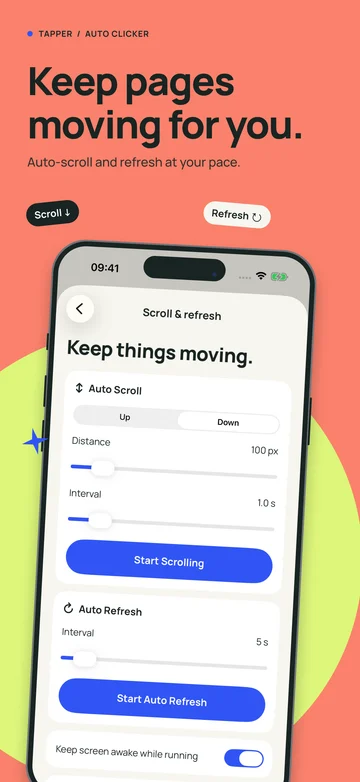
Learn More: How do I use an auto clicker on iPhone?Tapper’s upcoming Page controls let you choose scroll direction, distance, and interval. Keep the page open and adjust the pace to your reading. Compatibility depends on the webpage.
Learn More: Can I auto scroll a webpage on iPhone?Open the webpage, choose a refresh interval, and start a short session. Give the page time to finish loading between reloads. Our guide explains the upcoming controls and how to avoid unnecessary refreshes.
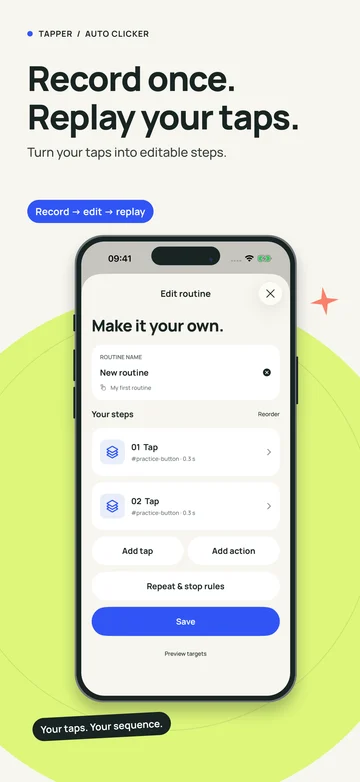
Learn More: How can I auto refresh a page on iPhone?The upcoming routine editor records supported interactions inside its browser. Review the steps, select a repeat count, and save your routine. This records web actions, not a video or taps across other apps.
Learn More: Can Tapper record and replay taps?Tapper automates supported webpages. It does not tap inside other native iPhone apps or games. If a task only exists in a native app, a Tapper web routine cannot perform it.
Learn More: Does an iPhone auto clicker work in other apps?Tapper is free to download with in-app purchases. In the upcoming update, basic tapping and practice are free; premium features have three shared preview runs before an upgrade is needed. Check the in-app offer for current terms.
Learn More: Is Tapper a free auto clicker for iPhone?A Safari extension is included in the upcoming Tapper project. After the matching update is released, enable the extension and allow it on the webpage you want to use. Our guide covers setup and limits.
Learn More: Can I use an auto clicker in Safari?Add separate tap steps in the order your webpage needs them, then check each target and its timing. The upcoming editor lets you review and replay that sequence on a supported page.
Learn More: How do multiple tap targets work? MEET YOUR NEW LITTLE HELPER
Download Tapper for iPhone and explore what a simpler web routine can look like.
Free to download. In-app purchases available. Requires iOS 16.0 or later. The current App Store release is 1.0.5.
Download on the App StoreUnderstand free and premium featuresWe’re bringing Tapper to Android. It isn’t on Google Play yet, and a launch date hasn’t been announced.
Android release informationStart with a supported webpage and a simple task.
Make the repetitive part a little easier.
Free download · In-app purchases